
How to set up custom fields?
Open PiceaServices Home view:
- On the Tools menu, select Settings.
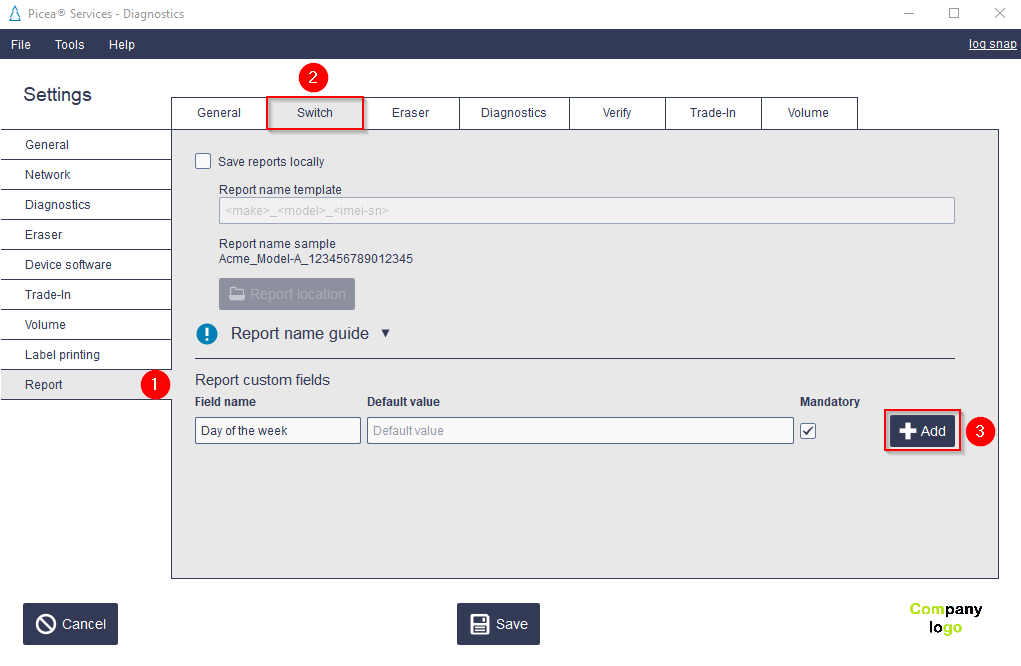
- In Report section (❶) open each of the services tabs (❷).
- In Report custom fields enter a Field name, an optional default value, and optionally mark it as mandatory.
- Select +Add button (❸) to save the custom field.
- Select Save.
You can edit field names and values with a double-click. Select Enter to save changes.
Comments
0 comments
Article is closed for comments.